A Better Workspace Isn’t About Having Less of Everything
Minimalism is often misunderstood.
A minimalist desk doesn’t have to be completely empty.
You don’t need to hide every pen, remove every personal object or create a workspace that looks like nobody actually works there.
Good minimalism is about intention.
Everything has a purpose.
Everything has a place.
And the objects you interact with every day should ideally make those small interactions easier and more enjoyable.
From your desk layout to your writing tools, lighting and storage, thoughtful choices can transform an ordinary workspace into somewhere you genuinely enjoy spending time.
Start by Removing What You Don’t Use
Before buying organizers or redesigning your desk, look at what’s already there.
How many objects do you actually use?
Old receipts.
Empty notebooks.
Cables for devices you no longer own.
Three pairs of scissors.
Promotional pens.
Random packaging.
Start by removing unnecessary clutter.
Create three groups:
Keep
Things you regularly use.
Relocate
Things you need but don’t need on your desk.
Remove
Things you no longer use.
You may discover that your workspace needs fewer new products than you expected.
Keep Everyday Tools Within Reach
Minimalism shouldn’t make your workspace inconvenient.

The objects you use constantly should remain easy to access.
That might include:
- Pen
- Notebook
- Scissors
- Glasses
- Charging cable
- Headphones
- Keys
Items you use occasionally can live inside drawers or nearby storage.
This creates a desk that looks calmer without forcing you to search for something every five minutes.
Give Small Objects a Home
Keys, coins, paper clips and other small items create visual clutter surprisingly quickly.
Instead of scattering them across the desk, designate one place for them.
A small tray can become a landing area for everyday objects.
When you return to your desk, your keys go there.
Loose change goes there.
Small accessories go there.
Creating a designated home for these items also makes them easier to find.
Choose Objects That Can Stay on Display
Traditional office organization often focuses on hiding everything.
But another approach is choosing useful objects that you don’t mind seeing.
A beautiful pen can remain on the desk.
A sculptural tray can hold your keys.
A thoughtfully designed ruler doesn’t necessarily need to disappear into a drawer.
When practical objects also contribute visually to the workspace, organization becomes easier.
Pay Attention to Materials
Materials have a major influence on how a workspace feels.
Plastic is practical, but covering an entire desk with identical plastic accessories can make the environment feel impersonal.
Consider introducing materials such as:
- Stainless steel
- Brass
- Aluminum
- Cork
- Wood
- Leather
- Paper
Different materials provide different weights, textures and temperatures.
Those details matter because desk objects are things you physically interact with throughout the day.
Invest in Tools You Touch Every Day
Think about how often you use a pen.
Or scissors.
Or your notebook.
Or your glasses.
An object used several times every day can be worth more attention than an item you use once every few months.
You don’t necessarily need expensive versions of everything.
Instead, decide which interactions matter most to you.
Invest selectively.
A small number of well considered objects can make your workspace feel much more intentional.
Keep Your Colour Palette Controlled
A minimalist workspace doesn’t have to be monochrome.
But controlling the number of colours can reduce visual noise.
You might start with:
Black + silver + wood
or:
White + brass + natural cork
or:
Gray + stainless steel + one accent colour.
Your computer and other electronics already contribute significant visual information.
Keeping smaller accessories relatively cohesive can create balance.
Use a Desk Pad to Define Your Work Area
A desk pad can create a visual zone around your primary work area.
It can help organize:
Laptop.
Keyboard.
Mouse.
Notebook.
Writing tools.
Instead of every item floating independently across a large surface, they become part of one defined area.
A desk pad can also introduce texture without adding unnecessary decorative objects.
Think About Your Computer Setup
For many people, the computer is the dominant object on the desk.
Arrange everything else around how you actually use it.
Consider:
- Screen height
- Keyboard placement
- Mouse space
- Cable access
- Notebook position
- Lighting
A beautiful workspace isn’t successful if it’s uncomfortable.
Function comes first.
Control Your Cables
Few things make a desk look cluttered faster than tangled cables.
Identify which cables need permanent access.
Then organize the rest.
You might use:
- Cable clips
- Under desk management
- Shorter cables
- Charging stations
- Reusable cable ties
You don’t need to make every cable invisible.
The goal is simply to prevent them from taking over the workspace.
Make Space for Analog Tools
Digital tools dominate modern work.
But physical objects can still be useful.
A notebook allows you to capture an idea without opening another app.
A physical ruler gives you an immediate measurement.
A bookmark keeps your place without another notification.
A pen provides a simple way to think on paper.
Combining digital efficiency with a few useful analog tools can create a more balanced workspace.
Choose a Pen You Enjoy Using
Pens are easy to overlook because they’re everywhere.
But if you write frequently, the experience matters.
Consider:
- Weight
- Grip
- Balance
- Refill availability
- Material
- Tip preference
A good writing tool doesn’t need to become a collector’s item.
It simply needs to feel comfortable enough that you want to use it.
Keep Scissors Accessible
Scissors are another tool that tends to disappear precisely when you need them.
If you regularly work with packaging, paper, labels or creative materials, keep one reliable pair nearby.
The same principle applies to any frequently used tool.
If you use it every day, don’t bury it under twenty less important things.
Create a Place for Your Glasses
If you wear glasses or sunglasses, you’ve probably placed them on your desk countless times.
A dedicated stand can solve two problems.
First, you know where your glasses are.
Second, they aren’t lying underneath papers or sitting somewhere they can easily be knocked onto the floor.
Sometimes good organization is simply giving one important object a permanent location.
Add One Playful Object

A productive workspace doesn’t need to feel serious all the time.
One tactile or playful object can create a useful interruption during the day.
A mechanical puzzle, for example, gives you something physical to interact with away from your phone.
You might pick it up while thinking.
Try solving it during a short break.
Then return to your work.
The goal isn’t adding another distraction.
It’s introducing a different kind of interaction.
Create Screen Free Breaks
When people take breaks from their computers, they often immediately look at their phones.
Technically you’ve changed screens.
You haven’t necessarily changed activities.
Try taking occasional screen free breaks.
Stand.
Stretch.
Walk.
Make coffee.
Look outside.
Write something down.
Handle a physical puzzle.
Give your eyes and attention a genuine change of environment.
Don’t Decorate Every Empty Space
Empty space is useful.
You don’t need an object in every corner of your desk.
Leaving some surface visible gives you room to:
Open a notebook.
Review paperwork.
Sketch.
Place a coffee.
Temporarily organize documents.
Minimalism works because it preserves flexibility.
Use Vertical Space Carefully
If your desk is small, consider using some vertical space.
Shelves can hold:
- Books
- Reference materials
- Decorative objects
- Storage boxes
- Plants
But avoid turning every shelf into another clutter zone.
Leave gaps between objects.
The goal is storage that feels intentional rather than crowded.
Add a Small Amount of Personality
Minimalism shouldn’t erase personality.
Keep something that matters to you.
A photograph.
A book.
An interesting object.
Artwork.
A souvenir.
A plant.
One meaningful item can contribute more personality than ten generic decorations.
Think Beyond Productivity
A workspace isn’t simply a machine designed to extract maximum productivity from you.
You’re spending part of your life there.
It should feel comfortable.
Interesting.
Calm.
Functional.
Maybe even enjoyable.
That can influence the objects you choose.
Instead of asking only:
“Will this make me more productive?”
also ask:
“Will I enjoy using this?”
Buy Less, Choose Better
Desk accessories are easy impulse purchases.
A new organizer.
Another pen holder.
Another notebook.
Another gadget.
Before buying something, ask:
- Do I already own something that performs this function?
- Where will this object live?
- How often will I use it?
- Is it made to last?
- Will I still want it on my desk several years from now?
These questions help distinguish useful objects from temporary clutter.
Look for Objects With Multiple Roles
A particularly useful desk object may serve more than one purpose.
A mechanical puzzle can also become a sculptural display object.
A beautiful tray can organize keys while contributing texture.
A well designed ruler can be both a measuring instrument and a permanent desk accessory.
Multi purpose objects can help keep the overall number of items under control.
Create a Simple End of Day Reset
Spend two minutes resetting your desk when work ends.
Put your pen away.
Close your notebook.
Return your glasses to their place.
Remove cups.
Throw away scraps.
Stack necessary papers.
Plug in devices.
That’s enough.
When you return the next morning, you’re starting with a clean environment instead of yesterday’s unfinished mess.
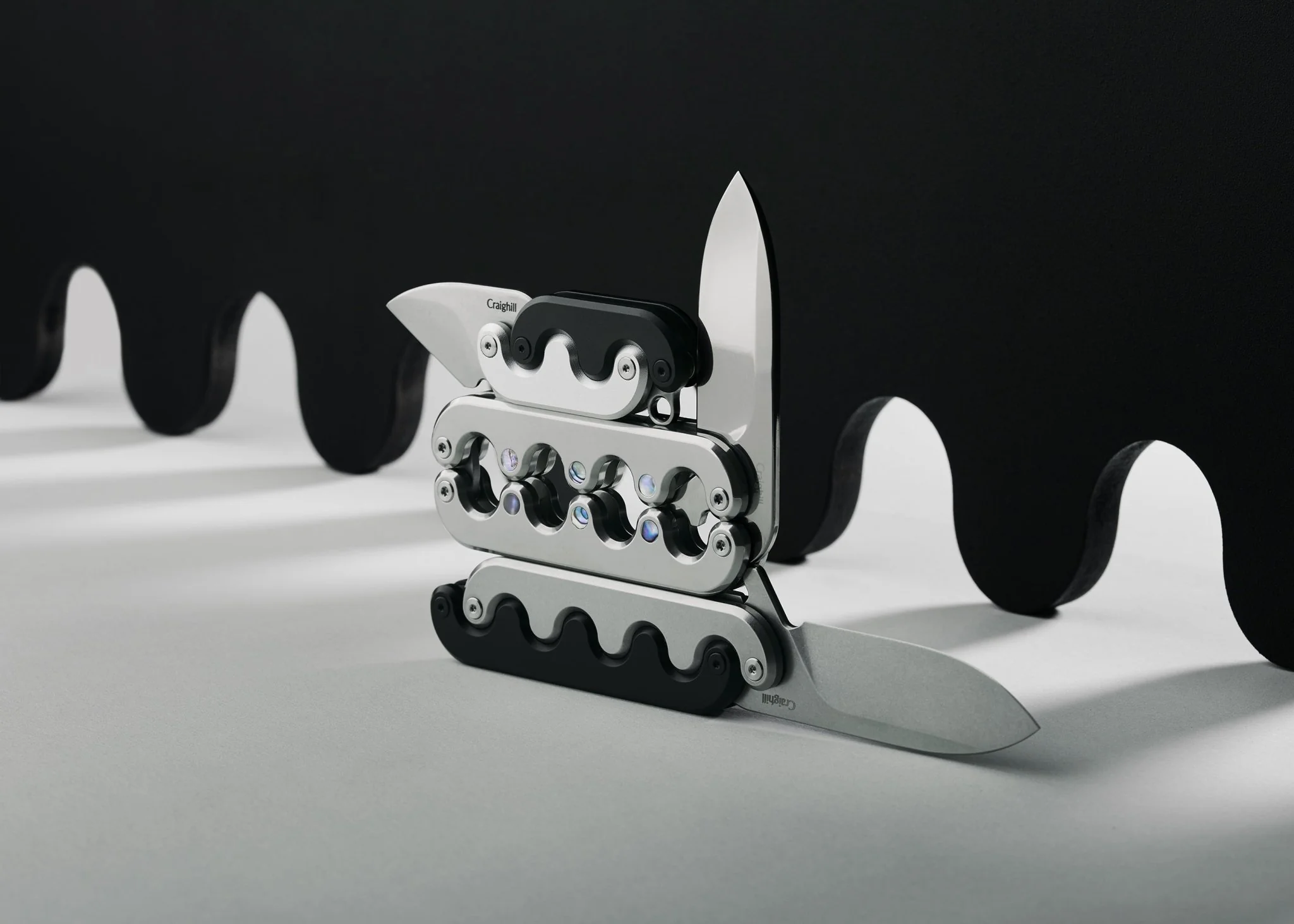
Craighill’s Approach to Everyday Objects
Craighill was founded in 2015 by designer Hunter Craighill and is based in Brooklyn, New York.
The company describes itself as a design and manufacturing brand built around curiosity, ingenuity and satisfaction.
Rather than creating objects purely for appearance, Craighill emphasizes a balance between visual interest and real world function.
That philosophy is particularly visible in its desk collection.
Current workspace objects include items such as:
- Writing tools
- Scissors
- Rulers
- Desk organization
- Eyewear stands
- Trays
- Bookmarks
- Mechanical puzzles
- Everyday carry accessories
Many of these products use materials such as stainless steel, brass, aluminum and cork, giving ordinary objects a more tactile and sculptural quality.
Everyday Tools Can Be Interesting
Craighill’s collection demonstrates an interesting design principle:
An object doesn’t have to be unnecessary to be beautiful.
Take something as ordinary as a ruler.
Or scissors.
Or a keyring.
These are functional objects that most people rarely think about.
But changing the material, proportion, mechanism or construction can completely change the experience of using them.
That’s industrial design at its most approachable.
Bring Play Into the Workspace
Craighill is also known for mechanical puzzles that function as both tactile challenges and display objects.
Its puzzle collection includes designs such as the Jack Puzzle, Tetra Puzzle, Andromeda Puzzle and Wavelinks Puzzle.
Rather than being hidden inside a game cabinet, many are designed to look at home on a desk, shelf or coffee table.
That combination of function, interaction and visual design fits naturally into a workspace where you want fewer but more interesting objects.
Think About Everyday Carry Too
Your workspace doesn’t end when you leave your desk.
Keys.
Wallet.
Cards.
Phone.
Glasses.
These objects travel with you constantly.
Craighill’s wider collection includes keyrings, card cases and other everyday carry objects designed around these daily routines.
The same minimalist principle applies:
Carry what you need.
Give everything a purpose.
Choose objects that can withstand regular use.
A Simple Minimalist Desk Setup
You don’t need dozens of accessories.
A practical starting point might include:
Computer setup
Your main working equipment.
Notebook
For quick ideas and planning.
Writing tool
One reliable pen.
Tray
For small loose objects.
Desk pad
To define the working area.
Lighting
A suitable task light.
Personal object
Something meaningful or visually interesting.
Optional tactile object
A puzzle or another screen free desk distraction.
Everything else can earn its place over time.
Minimalist Workspace Checklist
Before calling your desk finished, ask:
- Do I use everything that’s currently on the desk?
- Do frequently used objects have permanent locations?
- Are cables reasonably controlled?
- Is there enough open working space?
- Is my computer positioned comfortably?
- Do I have adequate lighting?
- Are my everyday tools easy to reach?
- Have I included materials and objects I enjoy touching?
- Is there something personal in the space?
- Can I reset the desk in a couple of minutes?
If the answer to most of these is yes, you’re probably close.
Final Thoughts
A minimalist workspace isn’t defined by how little you own.
It’s defined by how intentionally you choose what stays.
Remove unnecessary clutter.
Give everyday objects a permanent home.
Keep frequently used tools accessible.
Choose durable materials.
Preserve open space.
Add a little personality and play.
Craighill’s approach to design fits naturally into this philosophy, turning familiar objects such as pens, scissors, rulers, trays, keyrings and puzzles into tools that combine practical function with tactile, visual interest.
Your desk doesn’t need more stuff.
It needs the right stuff.
And when every object earns its place, even an ordinary workday can feel a little more considered.